
Three Core Technical Pillars
Test environments, robots, and adaptation all run on the same scorer. Environment · Robot · Adaptation
Test Environment
Recreate your site or generate one automatically
Recreate your site from maps or drawings, or generate a test environment automatically. Adverse conditions such as rain, fog, night, and radio jamming are applied through settings.
- Physics-based environment simulation (PhysX)
- OpenSCENARIO 2-family scenarios
- Automatic environment generation · condition variation
Robot Model
One configuration file per robot
Register a robot by declaring its body specifications, motion limits, end effector, and sensor positions. The specifications are checked against the manufacturer's confirmed values.
- Sensor noise · degradation · fault injection
- Joint · contact dynamics
- ROS 2 (Jazzy) integration
Adaptation Loop
Scoring results feed the next round of training
Train in simulation, score with physics, find the causes of failure, and train again. For real robots, we are still at the stage of collecting data that compares simulation with reality.
- Test records → training data (LeRobot · RLDS)
- Additional training · reinforcement learning (Isaac Lab)
- Failure causes → next training-data design
Platform Capabilities
Key traits of the scoring approach
5-layer architecture
Environment · robot · AI · scoring · reporting — the structure stays the same even when the robot and task change
Register a robot with one configuration file
Adding a new robot leaves the scoring program and scenarios unchanged. Robots from different manufacturers are scored on the same items.
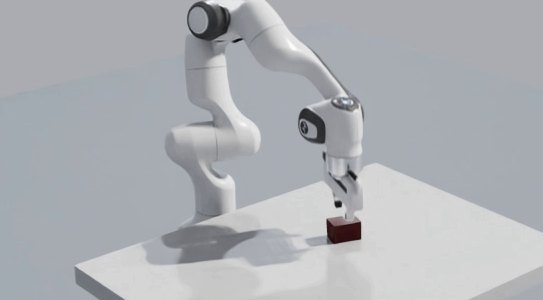
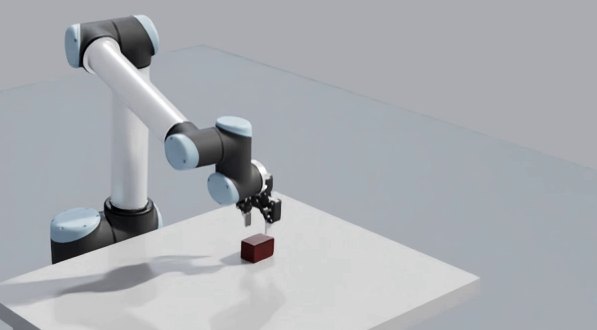
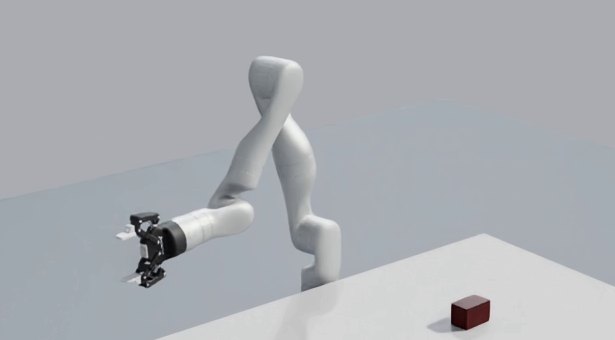
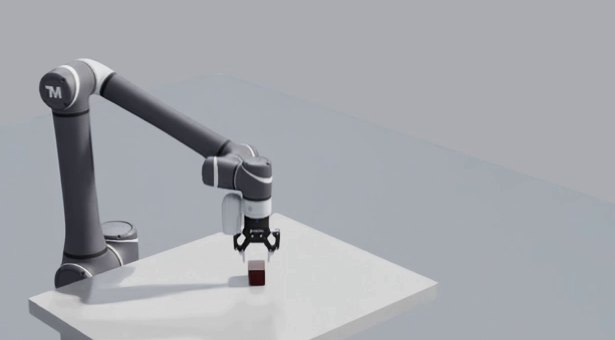
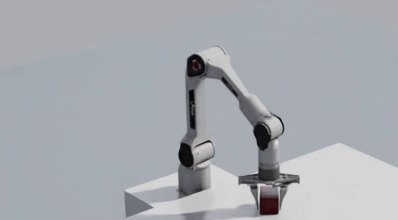
Same task, same scorer, same test environment (simulation screens)
“No program changes” doesn't mean “no work” — robot data preparation and per-robot calibration are still required. Showing a robot's name does not imply a partnership.
Scenario authoring and test runs
Write the task, conditions, and pass criteria in a scenario language, and the physics run and multi-angle video are recorded in one go.
scenario manip_insert_generic: do serial: manip_grasp_gen(…) # ① compute grasp pose manip_pick(…) # ② pick manip_place(x: 1.0, …) # ③ insert into hole assert_manip_strict( # ④ score use_case: "insert")Example robot-arm insertion scenario — 4 lines of actions, 1 line of scoring
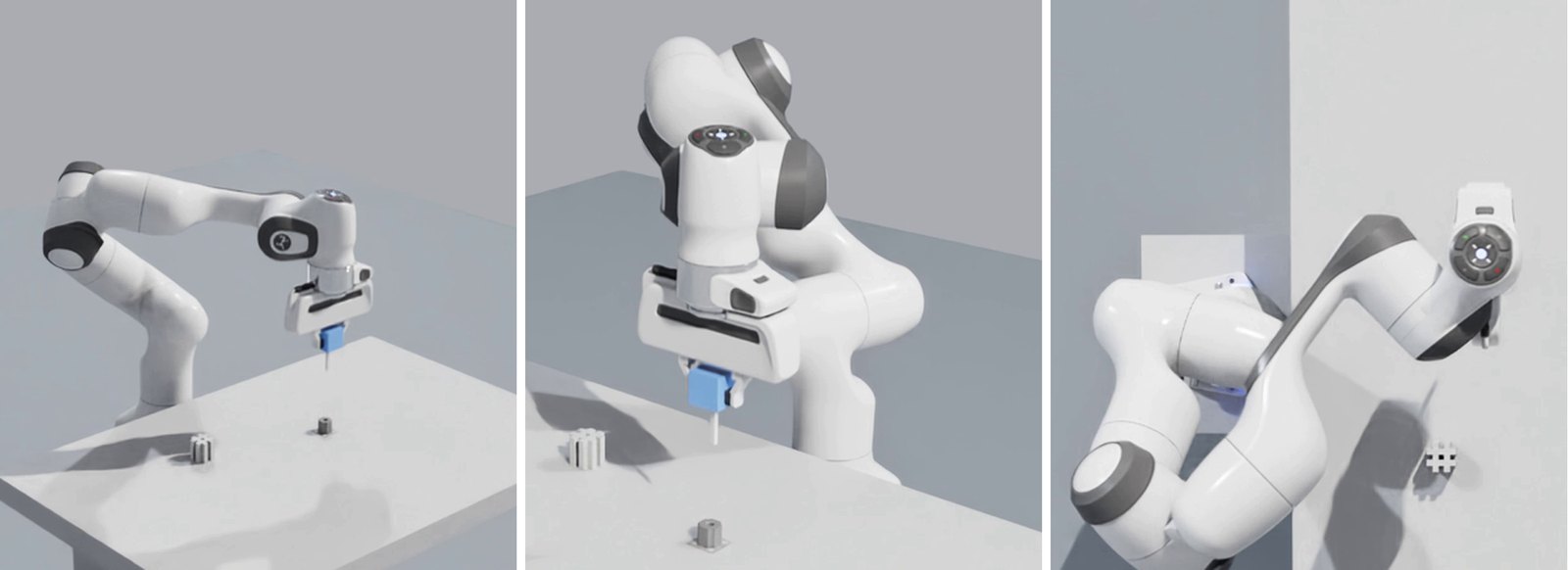
Robot-arm insertion task run — the same moment recorded by three cameras (wide · close · top) (simulation)
Three possible results: pass, fail, not measured
Items that couldn't be measured are not counted as a pass. Even when the task succeeds, the final verdict can be a fail.
- ·If a required item is not measured, it fails with the reason “measurement absent” (PAVS-VDT-01 v1.2).
- ·If none of the items is measured, the pass rate is shown as “not computable” rather than 0% or 100%.
- ·Final-result handling for tests in which the program marks its own “success” is in development (PAVS-VDT-02).
Technologies We Use
We use open formats for physics execution, sensors, and robot software integration
Visual Engine
RTX rendering and visualization
- Ray-traced rendering (RTX)
- Environment lighting
- Physically based materials
Physics Engine
PhysX-based physics execution and robot dynamics
- Rigid-body dynamics
- Contact mechanics
- Friction models
Sensor Suite
Camera · LiDAR · IMU sensor models
- Noise · degradation injection
- Camera lens distortion
- Sensor fault injection
ROS 2
ROS 2 (Jazzy) · Nav2 integration
- Topics · services · actions
- Nav2 navigation stack
- Scenario-language action integration
Integration
Open Formats
Open formats keep us compatible with other tools — the goal is portability
OpenUSD
Scene · 3D asset format — hierarchical composition of large environments
- Hierarchical composition
- Deferred loading (Payload)
- Variant Sets
OpenSCENARIO 2 family
Scenario authoring language — defines tasks · conditions · pass criteria
- Declarative scenarios
- Condition variation
- Scoring-item declaration
ROS 2
Robot software integration
- Jazzy
- Nav2
- Topics · services · actions
MuJoCo
Cross-check with another physics engine
- Same robot · same motion compared
- Differences between engines checked
Reference-Standard Measurement Items
We use the measurement items of standards as our test items. The level of support in each area (implemented, partial, or reference only) is shown alongside.
Standard numbers are for reference only; verdicts are given clause by clause (pass, fail, not measured) based on the measurement items. This is not a conformity certification.
Supported Specifications
Robot-agnostic architecture · environment types · sensor types
Supported Robots
New robot = one configuration file — below are examples used in testing
Robot Arms (Manipulators)
- Franka Panda
- UR10 · Kinova Gen3 · Techman TM12
- AgileX PiPER
Mobile Robots (AMR)
- NVIDIA Nova Carter
- Clearpath Husky
- Delivery robot + robot arm
Legged Robots
- Boston Dynamics Spot
- ANYbotics ANYmal D
Drones · Aerial Vehicles
- Quadrotor
- Fixed-wing
Unmanned Systems (Ground · Surface · Underwater)
- Tactical vehicle
- Unmanned surface vessel
- Unmanned underwater vehicle
Customer robot registration supported (robot data preparation · calibration by agreement)
Supported Environments
Built from maps · drawings · automatic generation
Logistics Warehouse
- Racks
- Conveyors
- Charging stations
Factory
- Production lines
- Workbenches
- Traffic routes
Hospital · Service
- Corridors
- Patient rooms
- Elevators
Outdoor · Urban · Terrain
- Roads
- Buildings
- Terrain
Automatic environment generation · condition variation supported
Sensor Models
Noise · degradation · faults injected as conditions
LiDAR
2D / 3D · noise · fault injection
Camera
Color · depth · lens distortion
IMU
Acceleration · gyro · drift
Satellite navigation
Jamming · degradation conditions
Contact
Contact · collision detection
Verdict Method
Integration
Why imSim?
The difference is whether a scoring layer is included — this is not a ranking of performance
| Item | imSimimSim | Physical on-site testing | General-purpose simulation tools |
|---|---|---|---|
Physical validity of success Checks whether task “success” actually happened physically | Verdict from contact, position, and force measurements · a success that didn't hold up scores zero | Observed and recorded by people | Requires separate implementation |
When a required measurement is missing Handling of items with no means of measurement or no incoming values | Fails with the reason “measurement absent” · not-measured items counted separately | Depends on test design | Requires separate implementation |
Scorer self-check Checks that the scoring program does not produce wrong verdicts | Negative controls · scheduled automatic checks (being expanded) | Not applicable | Requires separate implementation |
Disclosure of the gap to real robots States how closely simulation results match reality | Real-robot comparison stage disclosed · “none” when there is no evidence | Physical testing (no gap) | Requires separate implementation |
Multi-Robot Simulation Test multiple robots simultaneously in one environment | Limited by the number of units available | ||
ROS 2 Integration Connect ROS 2 nodes directly to the simulation | Runs the robot software as is | ||
Physics Engine Physics simulation of contact, friction, collisions, and more | Physical hardware (not applicable) | ||
AI Training Integration Reinforcement learning connection · test records converted into training data | Heavy data-collection burden | ||
Run Viewing Watch test-run video in a web interface | On-site observation |
“General-purpose simulation tools” refers to physics execution tools in general, not to any specific product.